Hairstyle Try On Hair AI
illebra.appBeauty
4.222.00 Reviews
- Version
- 3.2.2
- Installs
- 50.00K
- Age Rating
- Everyone
Screenshots
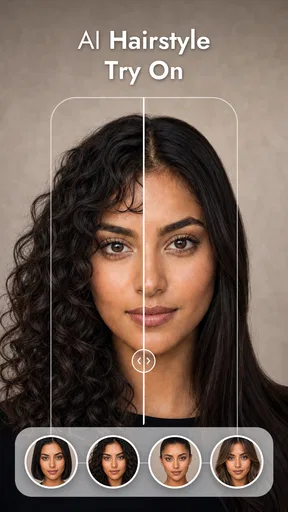
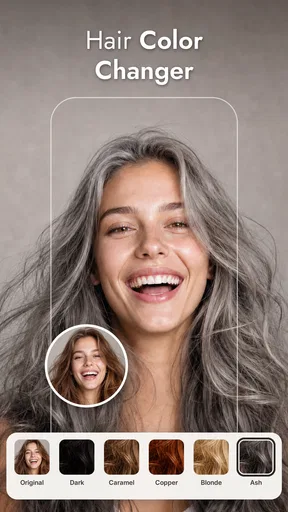
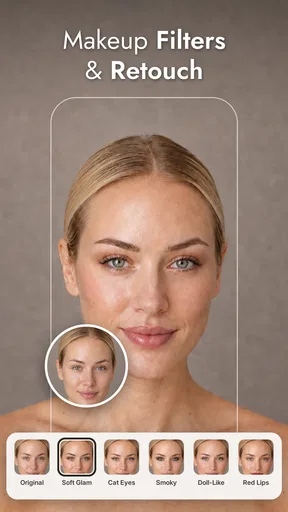
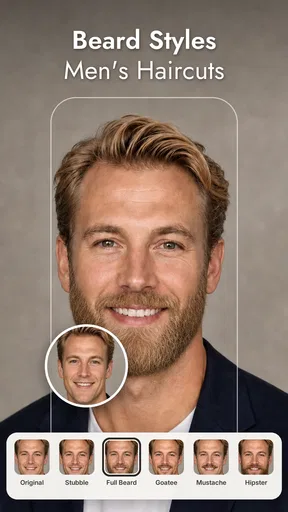
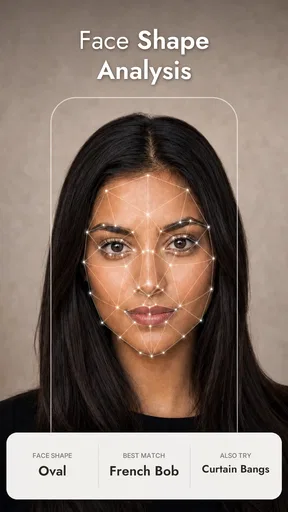
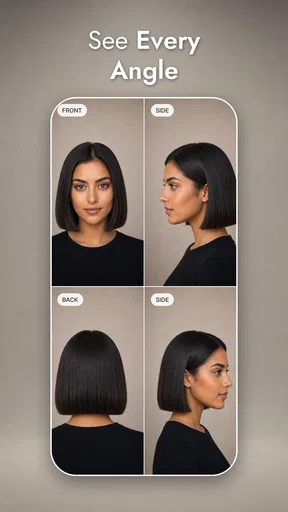
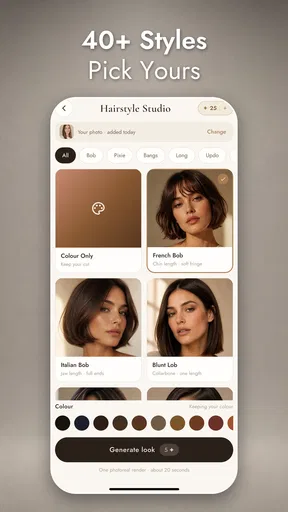
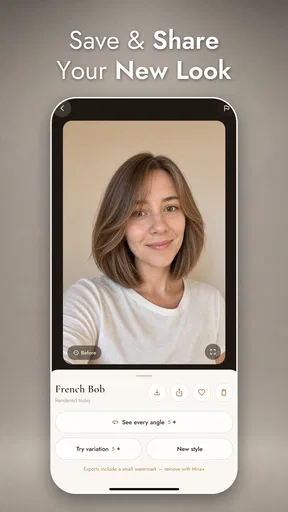
Our Review of Hairstyle Try On Hair AI
 Analysis by Appyee
I find the most useful way to approach Hair AI - Hairstyle Try On is as a visual brainstorming tool, not a promise of exactly how a cut will look after a real appointment. It can help turn a vague idea—“shorter,” “warmer,” or “something with more shape”—into a picture you can react to. That distinction matters: a preview can make it easier to talk through options, but it cannot reproduce the texture, movement, or maintenance of your own hair in everyday life.
Using a preview to make a better salon conversation
If I were considering a major change, I’d start with a familiar, front-facing photo and compare a few clearly different silhouettes before spending time on subtle color variations. Trying a bob beside a longer style, for example, can reveal whether I’m drawn to the length itself or just the polished finish of the image. I’d save only the strongest candidates, then show them to a stylist as reference points rather than instructions. A stylist can explain what would need to change to make a look work with my hair’s natural behavior.
That workflow is more useful than scrolling through every option at once. I’d also keep the original photo unchanged and judge each edit against it, especially when testing color. A dramatic shade can be entertaining, but lighting and the photo’s existing tones affect how convincing it appears. If a result looks appealing only under one particular picture, I’d treat that as a reason to test another photo before deciding, not as proof that the color will suit me in person.
Readability, browsing, and choosing at your own pace
The straightforward photo-first setup makes the app approachable for someone who does not want to learn a complicated editing workflow. The hairstyle gallery gives the experience a clear focus: choose a starting image, browse looks, and see how they sit on your face. I appreciate that kind of direct path for a quick experiment, though the amount of choice can still make browsing feel less simple once I start comparing many similar styles.
For a calmer session, I’d decide on one question before opening the gallery: am I exploring shape, length, or color? That keeps the comparisons meaningful and reduces the temptation to judge several changes at once. It also helps if you are sharing previews with another person; a small set of contrasting options invites more useful feedback than a large collection of near-duplicates. The app is best when I use it to narrow possibilities, not when I expect it to make the decision for me.
Hair AI - Hairstyle Try On is a free beauty app from illebra.app, with optional in-app purchases listed from $0.49 to $19.99 per item. It has a 3.8 average from around 147 ratings, with 10K+ installs, and its content rating is Everyone. Version 2.1.1 requires Android 7.0 or later. Those details make it easy to understand the basic commitment: trying it costs nothing upfront, while some extras may involve a purchase.
Comfort, control, and different ways of using it
Because the main task is visual, the quality of the starting photo plays a large part in how comfortable the experience feels. A well-lit image with the face clearly visible gives the editing process a fairer chance; a dim, angled, or crowded picture can make the result harder to assess. If taking a selfie is inconvenient, using an existing photo may be an easier starting point, provided it shows the face clearly. I would avoid making a decision from a preview that looks misaligned, since that may be a photo issue rather than a meaningful result.
The app may suit a short, focused session better than prolonged browsing. Someone with limited patience for fine adjustments can still get value from comparing a few broad styles, while anyone who finds visual comparison tiring can pause and return with a smaller shortlist. I would not assume that a virtual preview is accessible or comfortable for every user: the usefulness depends on being able to work with a photo and interpret visual changes. If that is difficult for you, a conversation with a stylist or help from someone you trust may be a better route.
Where it fits among other beauty tools
Compared with searching image galleries or social feeds, a try-on app offers a more personal starting point because the style is placed over your own photo. That can make it easier to imagine proportions than looking at a model with different features. On the other hand, a salon consultation is better for questions about hair texture, upkeep, and whether a cut can be achieved from your current length. I see this app as the middle step: more tailored than browsing inspiration pictures, but less grounded than advice from someone who can assess your hair in person.
It is also a different kind of tool from a general photo editor. The point here is to explore hairstyle and color ideas rather than to create a polished portrait. That focus is helpful when I want a quick visual comparison, but it is not a substitute for a detailed consultation or a realistic preview of day-to-day styling. If I wanted technical guidance about maintenance, or needed advice based on how my hair behaves when washed and dried, I’d choose a stylist instead.
First Impressions and Setup
Downloading Hair AI - Hairstyle Try On was a breeze, available on both Android and iOS platforms. Once installed, I was greeted with a clean and intuitive interface. The app prompted me to upload a selfie or take a new photo, making it simple to get started. The importance of a clear, well-lit photo was highlighted to ensure the hairstyles align perfectly with your face. Trust me, you don’t want your new do to look like it’s been awkwardly pasted on.
Exploring the Hairstyle Gallery
Once my photo was set, diving into the gallery was where the real fun began. From chic bobs to luscious long locks, the variety is impressive. Each style is categorized for easy browsing, with options ranging from classic to trendy. I even found some celebrity-inspired looks that were intriguing. The app uses advanced AI to adjust the styles according to your face shape, ensuring a more realistic preview. It's almost like having a personal stylist at your fingertips!
Customization and Realism
What sets this app apart is the level of customization it offers. You’re not just stuck with a one-size-fits-all approach. You can adjust the color of the hairstyle, which is perfect for those considering a new hue. The realism was surprisingly good; the AI ensures that the hairstyle integrates seamlessly with your photo. I tried out a fiery red pixie cut, and it looked so authentic that I was almost convinced to make a drastic real-life change!
Sharing and Feedback
After trying on countless styles, the app allows you to save your favorites or share them with friends directly from the interface. I shared a few daring looks with my pals, and their feedback was invaluable. It’s a fun way to get opinions without commitment. Plus, the app doesn’t bombard you with ads, which is a relief compared to other free apps out there.
Additional Features
Beyond just hairstyles, the app offers tips and tricks on hair care and styling. There’s a section with tutorials for achieving some of the looks in real life, which I found quite helpful. It’s not just a virtual try-on tool; it also serves as a mini hair care guide.
The app is regularly updated with new styles, keeping things fresh and exciting. I noticed a seasonal trends section, which is great for staying ahead of the game. Whether it's summer waves or winter curls, there's always something new to experiment with.
Inclusive verdict
Hair AI - Hairstyle Try On is a fantastic app for anyone looking to experiment with their hair without the fear of commitment. It’s fun, easy to use, and surprisingly accurate. Whether you're planning a new look or just want to have some fun, this app is a must-try. It's like having a virtual salon in your pocket, ready to help you explore the endless possibilities of hairstyles. So why not give it a whirl and see what new you can create?
Who will get the most from it
I’d recommend it most to people who already have a style question in mind: whether to try a shorter outline, see themselves in a different color, or collect references before booking a haircut. It is also a low-pressure option for anyone who enjoys experimenting with appearance but is not ready to change their hair. Since the app is free to start, it is easy to test the basic experience before deciding whether any optional purchase is worth considering.
A realistic use case is getting ready for a salon appointment after work. I might take a clear photo at home, compare a few lengths, and save two images that show the direction I like. Then, instead of asking a stylist to recreate an edit exactly, I could explain what appeals to me—the fringe, the overall length, or the warmer tone—and ask what is practical for my hair. That turns the app into a conversation aid rather than a source of unrealistic instructions.
Small choices that improve the result
One useful trade-off is to test a change in stages. I’d first compare shapes while keeping the color close to my current one, then explore color only after I know which cut I prefer. If both change at once, it can be hard to tell what is making a preview work. I’d also try a second well-lit photo when a style seems oddly placed; different angles can expose whether I like the look itself or merely the way it happens to sit in one image.
Saving a compact shortlist is more practical than keeping every entertaining experiment. A few contrasting options are easier to revisit and discuss, and they make it clearer when none of the previews feels right. In that case, I would use the results as inspiration for a broader conversation instead of forcing myself to choose one. The app can help me notice preferences, but it cannot tell me how much time a style will take to maintain or how it will behave between salon visits.
When another approach is better
I would skip this as a decision-making tool if I needed reliable guidance about a technical cut, color processing, or hair health. A photo overlay cannot assess condition, density, or the way a person’s hair naturally falls, so those questions belong with a qualified stylist. Likewise, someone who finds image-based interfaces uncomfortable may get more from showing reference pictures to a trusted person or discussing ideas directly at a salon.
For quick inspiration, ordinary image searches offer a wider range of real people and natural hair textures, though they do not show a style on your own face. General photo editors can offer more control over an image, but may take extra effort and are not as focused on trying hairstyle choices. This app occupies a useful middle ground: personalized enough for a first impression, simple enough for casual exploration, and limited enough that I would not treat its previews as a final verdict.
What to expect before you begin
The app is aimed at a broad audience, and its Everyone content rating makes it suitable for general use. I would still think about the setting before opening a personal photo: try it when you have enough time to look at the results calmly, rather than making a rushed choice while distracted. If you plan to share images, choose only the ones you are comfortable showing to other people. That is a sensible habit for any photo-based beauty tool.
My overall advice is to go in with a specific question, use a clear photo, and treat the strongest previews as ideas to discuss—not guaranteed outcomes. For playful exploration or a first shortlist before a haircut, it can make the process more engaging. For personalized professional advice, or for anyone who needs a result grounded in how their own hair behaves, an in-person consultation remains the stronger choice.
Privacy and Permissions
See what permissions an app requests and how it handles your data.
- Photos/Media/Files
- read the contents of your USB storage, modify or delete the contents of your USB storage
- Storage
- read the contents of your USB storage, modify or delete the contents of your USB storage
- Camera
- take pictures and videos
- Microphone
- record audio
- Other
- view network connections, full network access, run at startup, control vibration, prevent device from sleeping, Google Play license check, read Google service configuration
Verdict
Strengths of Hairstyle Try On Hair AI
- Realistic hairstyle simulations
- Wide variety of styles available
- Easy-to-use interface
- Quick processing of images
- No internet required for basic features
Limitations of Hairstyle Try On Hair AI
- Limited free options available
- Occasional app crashes
- In-app purchases can be pricey
- Some styles may not fit well
- Requires high-quality photos for best results
Similar Picks in This Category
View All
Beauty Makeup Editor & Camera
Photo & Video Editors - Instant Solution4.7

Perfect365: Face Makeup Editor
Perfect365, Inc.3.5

Mirror Plus - HD Mirror app
Digitalchemy, LLC4.8

Cute Lock Screen & Wallpapers
Prometheus Interactive LLC4.6

HD Camera for Android
One Music Player4.5

Phone Mirror app - True Mirror
Cards4.6
Frequently Asked Questions
What is Hair AI - Hairstyle Try On?
Hair AI - Hairstyle Try On is a mobile application that allows users to virtually try on different hairstyles using augmented reality. With a simple photo upload, users can see how various styles, colors, and cuts would look on them before making any real-life changes.
How accurate is the hairstyle simulation in Hair AI?
The app uses advanced AI and augmented reality technology to provide highly accurate hairstyle simulations. While it offers a realistic preview, keep in mind that results may vary slightly depending on lighting and photo quality. It’s designed to give you a close visual approximation of potential hairstyles.
Is Hair AI free to use or are there any in-app purchases?
Hair AI offers a free version with basic features, allowing users to try on a limited selection of hairstyles. For access to the full range of styles, colors, and additional features, users can opt for in-app purchases or a subscription model, depending on their preference.
Can I use Hair AI on both Android and iOS devices?
Yes, Hair AI is available for both Android and iOS devices. You can download the app from the Google Play Store or Apple App Store. Ensure your device meets the minimum operating system requirements for the best performance and compatibility.
How does Hair AI protect my privacy when using photos?
Hair AI prioritizes user privacy by ensuring that photos and data are securely handled. Images are processed within the app and are not stored or shared without user consent. The app complies with standard privacy regulations to protect user information.
